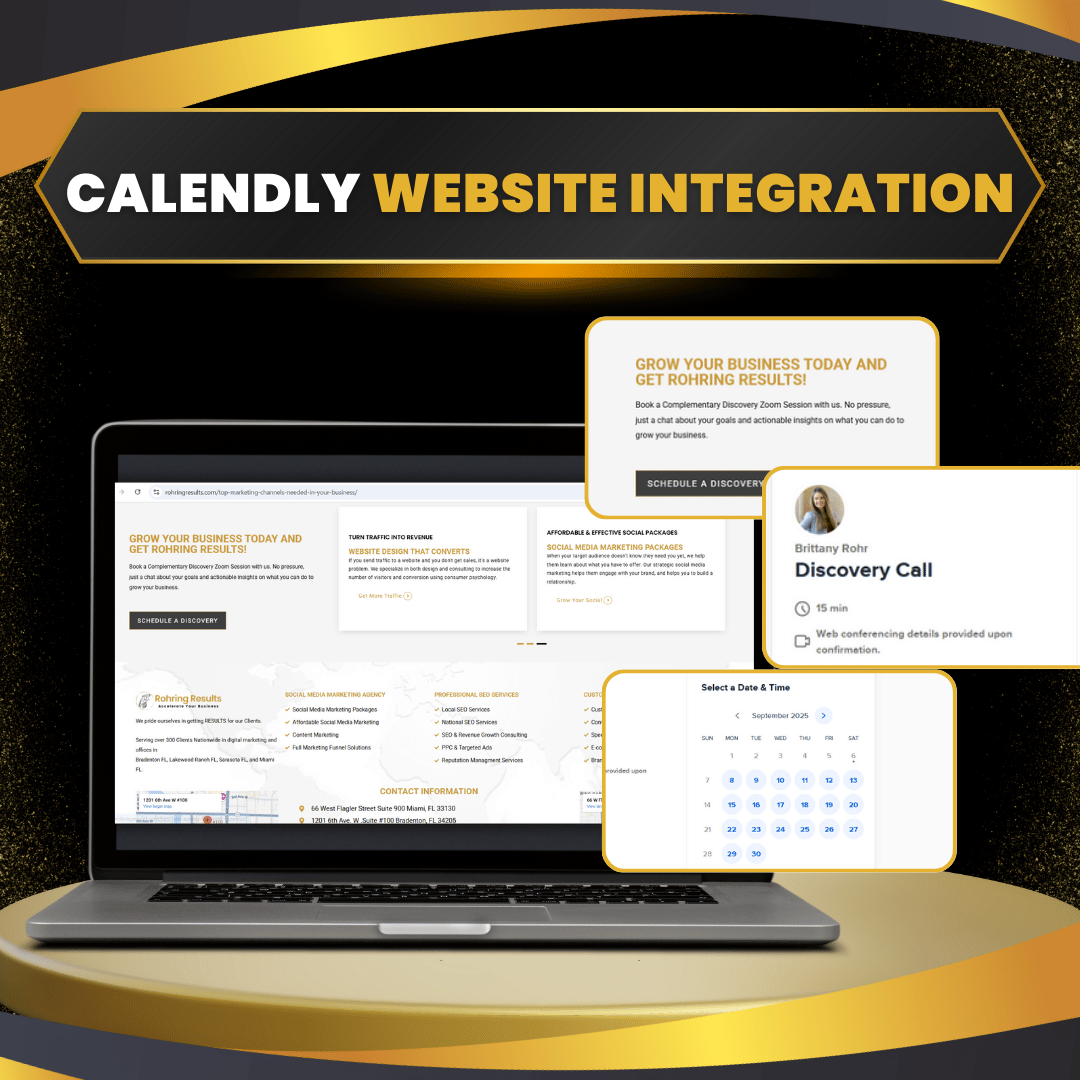
This service configures Calendly for streamlined scheduling, integrating it seamlessly with Zoom and Google Calendar. The result is a hassle-free booking system that saves time, eliminates double-booking, and makes scheduling effortless for both you and your clients.
Detailed Description:
Manually scheduling calls wastes valuable time and often leads to double-bookings or miscommunication. This consulting package ensures Calendly is properly set up and fully integrated with your Zoom account and Google Calendar. Clients can book time with you instantly, with Zoom links generated automatically and synced across your Google Calendar in real time.
We handle the full configuration, including calendar syncing, meeting type setup, and email/SMS reminders (if enabled in your plan). You’ll walk away with a professional, automated scheduling system that works around the clock — no back-and-forth emails required.
Service Scope:
Calendly account setup or optimization
Integration with Google Calendar (sync availability, manage conflicts)
Integration with Zoom (automatic meeting link generation)
Setup of meeting types (e.g., discovery calls, client sessions, internal meetings)
Customization of booking pages (logo, colors, availability rules)
Test run to ensure seamless client experience
Objectives and Goals:
Eliminate double-bookings and scheduling conflicts
Save time by automating client scheduling and reminders
Create a professional booking experience that builds trust
Ensure full synchronization across Zoom and Google Calendar
One-Time Setup Tasks:
Calendly account setup and configuration
Integration with Google Calendar and Zoom
Meeting types created and customized
Branding of booking page (colors, logo, messaging)
Testing to ensure smooth booking and notifications
The benefits of this package give you a ready-to-use, automated scheduling system that simplifies your daily workflow, including:
Seamless Google Calendar integration to prevent double-booking
Automatic Zoom link generation for professional client calls
Customized booking page branded to your business
A streamlined, professional experience for clients booking time with you
Time savings that let you focus on revenue-generating activities
Impact on Business:
This service helps you reclaim valuable time, avoid costly scheduling mistakes, and present your business as efficient and professional — leading to higher trust and better client relationships.
To complete the setup, you’ll need to provide:
Access to your Google Calendar and Zoom account
Your availability preferences (working hours, buffer times, etc.)
Branding assets (logo, brand colors, preferred fonts)
List of meeting types you want available for booking
Your role is simply to provide access and preferences. Once approved, your scheduling system will be live and ready to use.
Initial Setup Timeline:
Day 1: Zoom onboarding call + setup access inside The Online Omniverse portal
Day 2–3: Calendly setup, Zoom + Google Calendar integrations
Day 4: Meeting type configuration, branding, and test run
Day 5: Final delivery and walkthrough call
Ongoing Management Timeline:
Not included (available as a separate add-on if needed for ongoing adjustments)
Communication Plan:
Kickoff onboarding call to gather preferences
Updates provided through The Online Omniverse portal
Final Zoom walkthrough to ensure you’re confident using the system

Lorem, ipsum dolor sit amet consectetur adipisicing elit. Exercitationem, facere nesciunt doloremque nobis debitis sint?


.jpg)


.jpg)
.jpg)
.jpg)
.jpg)
.jpg)